List of 51 Million Live Websites
The Ultimate Dataset for Digital Marketing, Research & Growth

What Is This Dataset?

This List of 51 Million Live Websites is one of the most comprehensive collections of actively functioning websites available today. It includes millions of registered domains that currently have live, accessible websites.

Each website is enriched with valuable metadata, making this dataset immediately usable for digital marketing, research, SEO, outreach, and data analysis. Instead of scraping the web yourself or relying on outdated lists, you get a structured, ready-to-use snapshot of the live internet.

What’s Included

• Over 51,000,000+ live and functioning websites
• HTML title tags extracted directly from each website
• Meta descriptions for understanding messaging and intent
• Top-Level Domains (TLDs) such as .com, .net, .org, .io, and country-specific domains
• Niche and industry categorization for easy filtering and segmentation

This additional context allows you to understand what each website is about before ever visiting it — saving time and improving targeting accuracy.

Key Use Cases

Lead Generation & Prospecting
Build highly targeted prospect lists by niche, keywords, or domain type. Perfect for cold outreach, agency lead generation, partnerships, and sales intelligence. Starting with verified live websites dramatically improves response rates and data quality.

SEO & Content Research
Analyze millions of title tags and meta descriptions to identify keyword trends, content gaps, and competitive positioning across entire industries — not just page-one results. Ideal for SEO professionals and content strategists.

Market & Industry Research
Understand how saturated or emerging a market is by analyzing the number of active websites in specific niches. Use TLDs and categorization to spot geographic trends and new opportunities.

Competitive Intelligence
Discover direct and indirect competitors, analyze how businesses position themselves, and identify messaging patterns within your industry. This is especially valuable for SaaS founders, e-commerce brands, and startups.

Outreach, PR & Link Building
Find blogs, publishers, and relevant websites at scale for guest posting, collaborations, and PR campaigns. Target only websites that are active and relevant, reducing wasted outreach.

AI, Machine Learning & Data Science
Train and test models on real-world website data. Use the dataset for website classification, NLP analysis, industry clustering, and large-scale web intelligence projects. The size and diversity make it ideal for serious data work.

Who This Is For

• Digital marketers and growth teams
• SEO professionals
• Lead generation specialists
• Data analysts and researchers
• SaaS founders and product teams
• AI and machine learning engineers
• Agencies and consultants

If your business relies on understanding, reaching, or analyzing websites at scale, this dataset gives you a serious advantage.

Download & File Formats

The dataset is delivered as a fast, compressed .zip download and is approximately 11GB uncompressed. It is included in two widely used formats: MySQL dump for scalable database deployment, and CSV files for maximum compatibility with spreadsheets, analytics tools, and custom workflows.

Training & Support

Full training is provided to help you get the most value from the dataset, even if you’re new to working with large data files. This includes step-by-step guidance on installing MySQL, importing the database, running queries to filter and segment the data, and using command-line tools to efficiently extract smaller CSV files — such as geo-targeting by TLDs or filtering by city names found in website metadata.

In Short

This List of 51 Million Live Websites is more than just a database — it’s a map of the active internet. With enriched metadata, niche categorization, and verified live domains, it enables smarter targeting, deeper insights, and faster execution across marketing, research, and product development.

Dataset Pictures

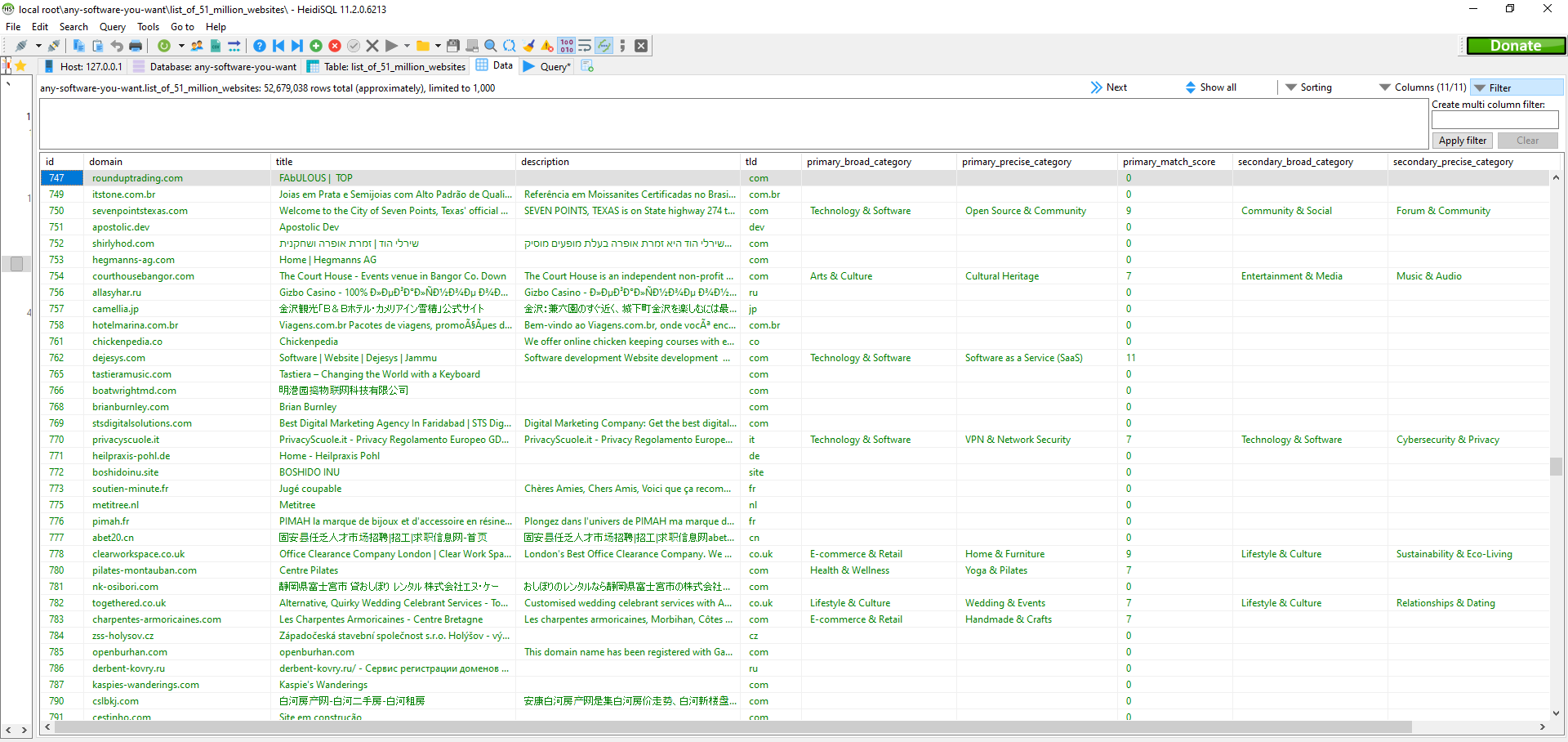
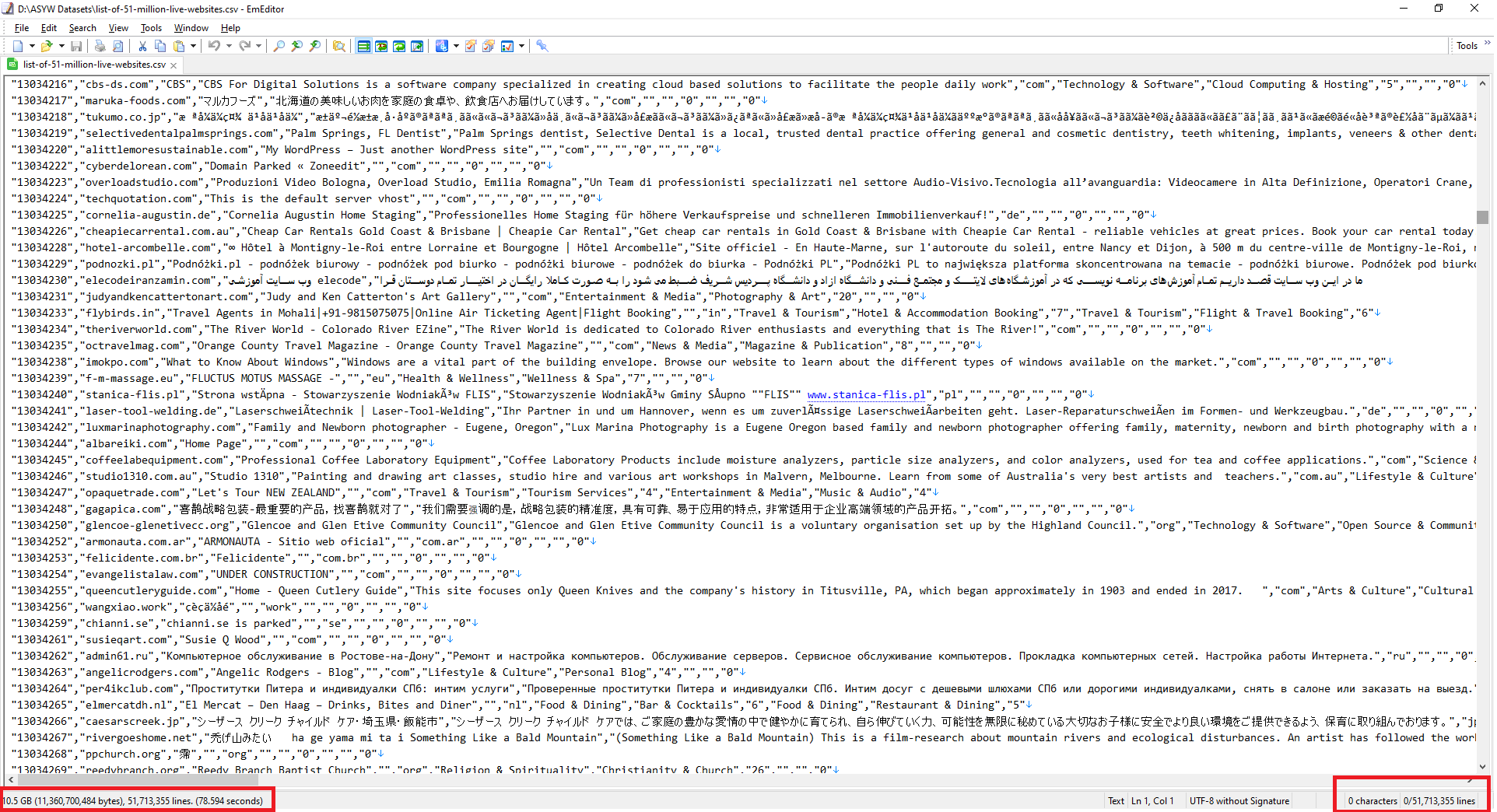
CSV File CSV File of 51 million website list

MySQL Table MySQL of 51 million websites list

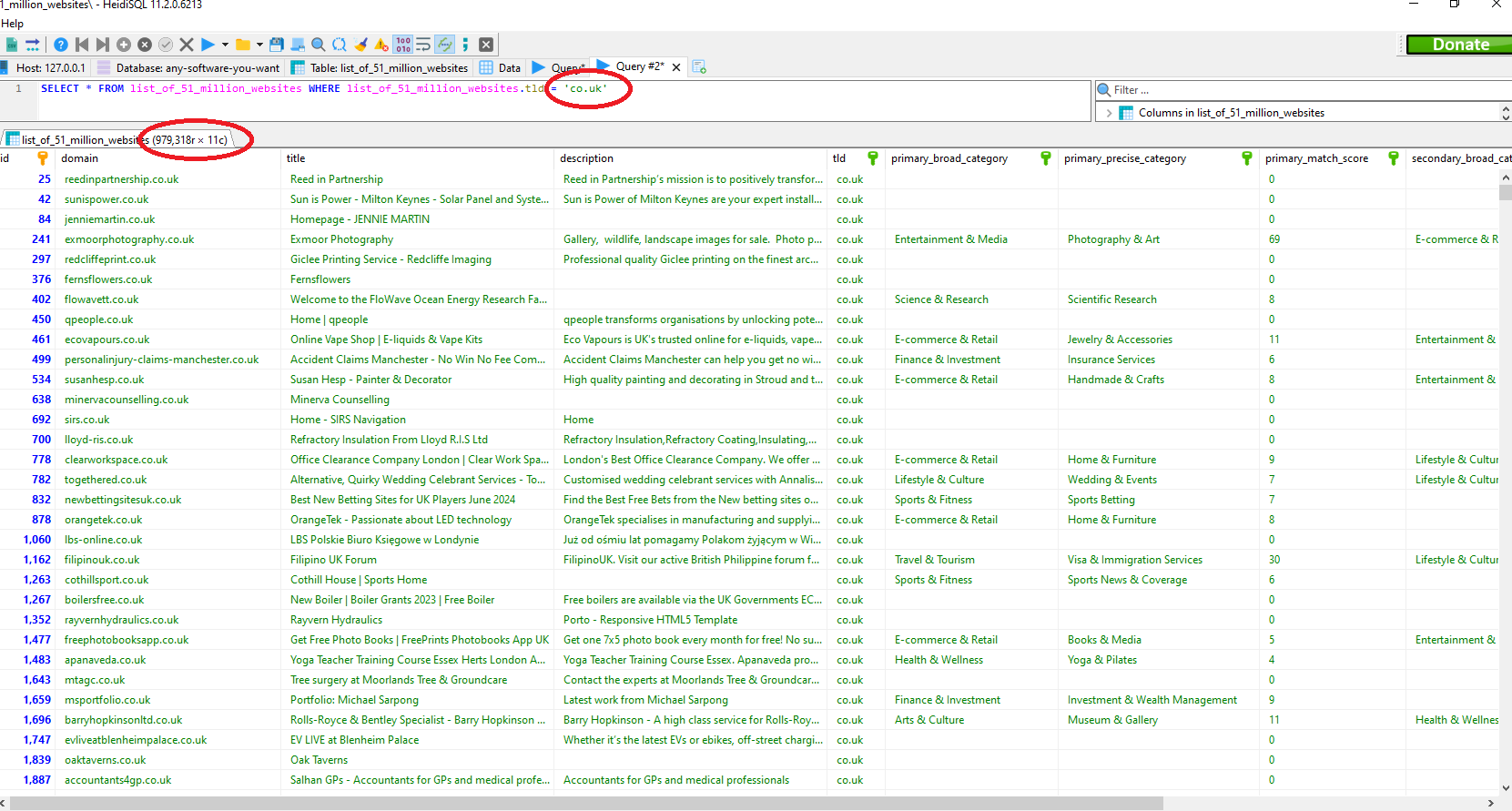
MySQL Table Filtered By TLD MyTable of 51 million websites list filtered by TLD

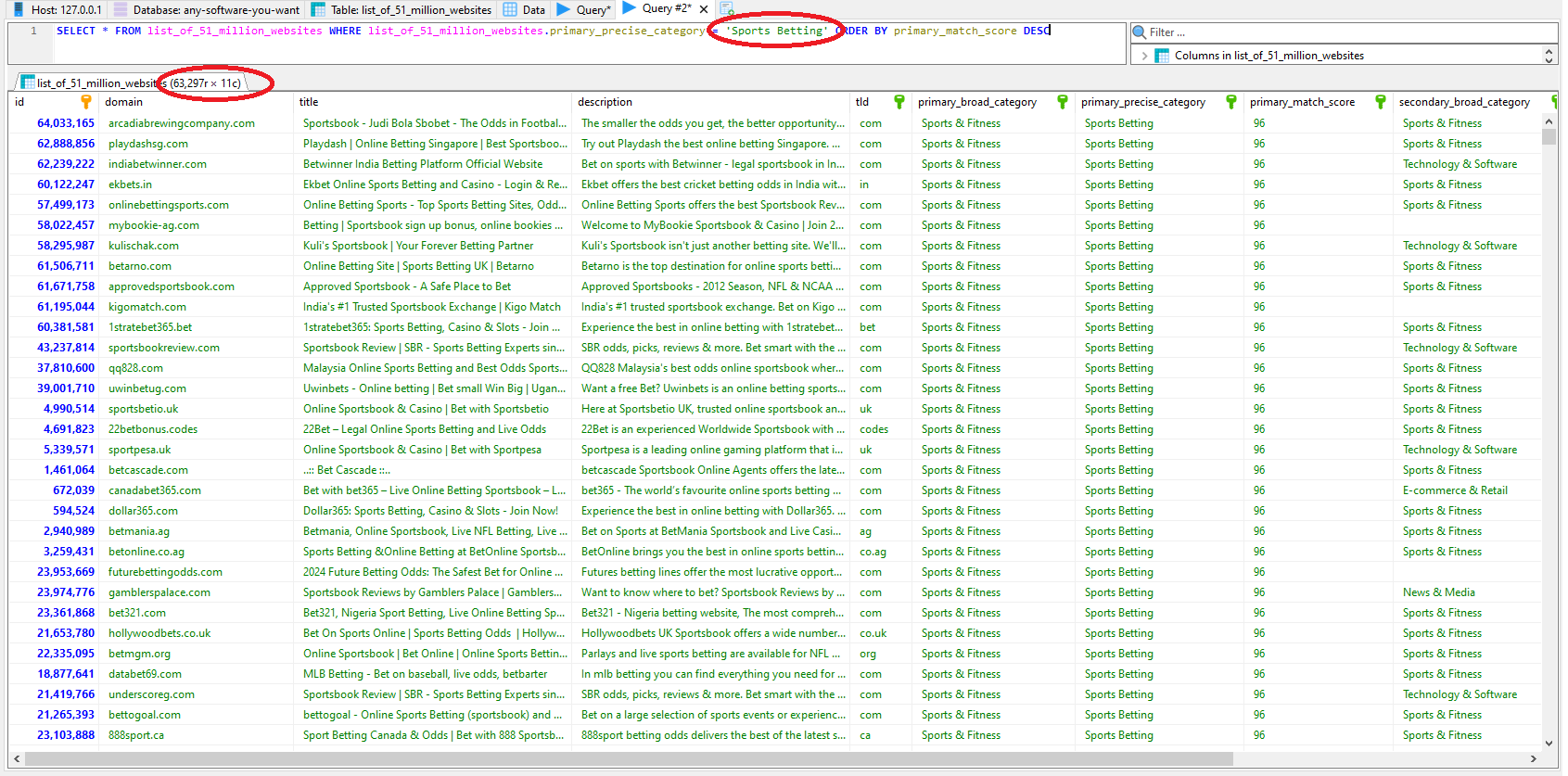
MySQL Table Filtered By Niche MySQL of 51 million websites list filtered by niche

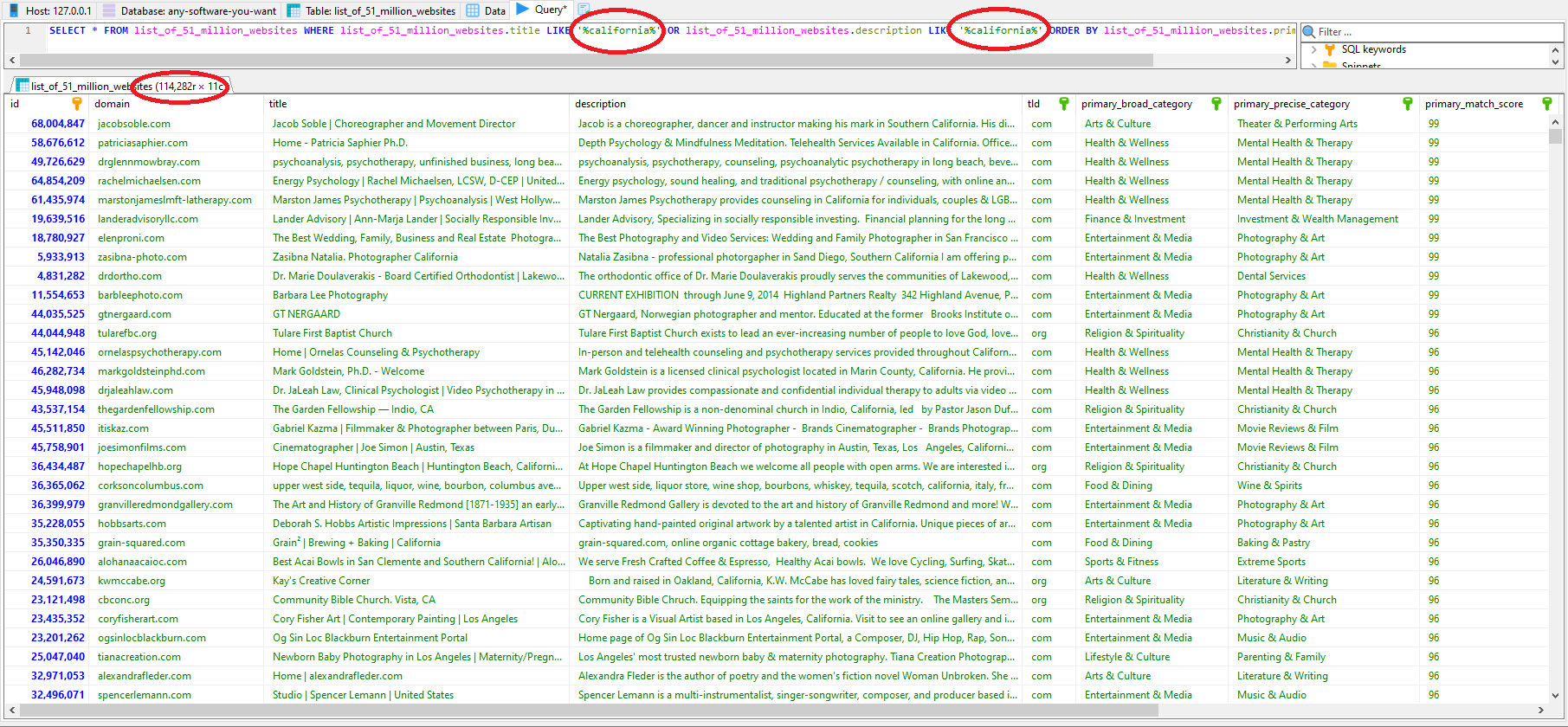
MySQL Table Filtered By Keywords (California) MySQL of 51 million websites list filtered by keywords

Video Demo


Hi everyone, it's Jamie from anysoftwareyouwant.com and in this video we're going to give you a lightning quick demo of our 51 million website dataset. So just to give you a brief overview of this dataset it's a huge 51 million list of websites that our crawlers have compiled. It's actually a little bit bigger than 51 million as you can see here but we like to over deliver because sometimes websites go offline quickly etc. It contains over 99% of the websites online that are publicly accessible so as you can see it's a very comprehensive dataset. So let's have a quick browse of the data and just go over the different data that's within this dataset. So you can see we've got domain, fairly self-explanatory, we've got the title. Now that title is extracted from the HTML of the website. The title is really good because it gives you a short overview of what the website is about and then we've also got the description of the website that is extracted from the website's HTML meta tags. And the reason we pull those two bits of information is because once we have that we can use keyword matching to categorize it our side and then also if we provide you with that data you can then search for keywords within that data. We also provide the TLD, the top-level domain, so you can filter down to things like .co.uk if you only want to look at UK-based websites. Now let's have a look at our categorization. So we provide a primary and a secondary categorization on all the websites if we think we found one. So what we mean by that is we use keywords to put the websites into categories but obviously if a website doesn't have sufficient keywords for us to categorize it then we just won't categorize it. Every time we categorize a website as I said there's a primary and a secondary category because sometimes you can have a blog that spans multiple topics and we give a broad category and then a more granular category. So for example, tenology and software and within that you might have cybersecurity and privacy. We also provide a matching score so whenever we think we've worked out what category we'd place a website in we give you a certainty score of it. So that gives you the ability to decide how sort of lenient you want that scoring to be. So say for example you're doing an outreach campaign and you are sending a message to websites that have to be in the fitness niche and if they're not in it then that message is going to be completely relevant and people might mark it as spam and it might affect your delivery rates etc or your campaign's access rates. So you can set the match score quite high when you're filtering these websites so that you know that definitely going to be reaching out to websites that are in that niche but if you're reaching out to websites and the niche isn't really that important then you can lower that score. Now we'll do a few quick demos of filtering down the certain niches and certain TLDs and filtering by keywords etc. We'll do these in both the MySQL format and you can see here and we'll also do it in the CSV format that's provided. And just so you're aware full training is provided in a video format for installation of MySQL and working with these large data sets on your local machine. So even if you're not from a technical background we'll show you how to install MySQL, install MySQL client and then do some queries etc and we'll go into a more detailed way of extracting things from the CSV of PowerShell etc. So we provide all the training you need to work with these large data sets. So our first quick little demo here you can see we filtered down to all UK websites in the health and wellness niche. So we wrote simple little SQL query here where TLD equals COLA UK and where our primary niche is health and wellness and then we've ordered it by how sure we are there within that niche and as you can see we've got over 60 million results and that's just for the UK so globally there'll be you know multitudes more than that. So for our next demo here we've made a little SQL statement here that says if the title or a description from the website contains the keyword California and to show it as a result. So that demonstrates how you can use the data set for geographical targeting. You can find certain businesses in certain locations and as you can see in the example here in California we found a huge amount of websites with California in the title or description you know 114,000. So for our next demo now we're going to show you how to use the CSV format the comma separated value file. So if you don't want to use a database you can use the file as a simple CSV file so you can see you've got the file open here you've got over 51 million lines in it and we're going to use this PowerShell command here to filter down to any row that has code.uk in it to give us UK based domains. So you can see we're reading the file here a filtering code UK and then we're outputting into a new CSV file there. So we'll set that command running now. Now CSV working with CSVs it is slower than working with a MySQL database so we'll come back in a few minutes and we'll have a look at our TLB filtered file. So we've gone back a little bit later and you can see our PowerShell command has finished running and if we look inside this folder where we outputted the new file to you can see we have our TLB filtered CSV. If we open it up you can see we've got our original CSV file our huge data set now filtered down to just .code.uk domains and obviously because it's a CSV file you can open it up in a spreadsheet tool Excel or anything like that and you can see we've got the headers here it looks a little bit nicer than opening up with text editor. Now for our final demo we're going to take our big CSV the original one 51 million lines and we're going to filter it down to only rows that contain Texas which will be in the title and the description of the website. So we've changed our PowerShell command here you can see we're filtering for the word Texas and then we're outputting it into a new file there. So we'll set that going and then we'll come back in a bit and we'll show the results. So we come back a few minutes later and as you can see our command has finished and if we open up the new file our Texas filtered CSV file you can see all of the rows now have either Texas in a description or in the title column and as you can see it's a nice big new data set we've created of 124,000 websites have Texas in either the title or the description of the website and that concludes our demos we hope you see how powerful these data sets are for lead generation or big data projects and as we said this data set contains over 99% of the live websites on the internet and full training is provided upon purchase so even if you're not technical we'll show you how to use these data sets on your local machine and how to get the most from them. Thank you for watching


top